4.5. Study Design
The second set of fields in TPPS is the Study Design section, where users upload metadata about their experiment. The form fields and their properties are as follows:
Study Start Date:
fieldsetStart Date Year:
select- options ‘1970’ to ‘2018’Start Date Month:
select- options ‘January’ through ‘December’
Study End Date:
fieldsetEnd Date Year:
select- options ‘1970’ to ‘2018’End Date Month:
select- options ‘January’ through ‘December’
Study Location:
fieldsetCoordinate Projection:
select- options ‘WGS 84’, ‘NAD 83’, ‘ETRS 89’, ‘Custom Location (street address)’Coordinates:
textfield- only visible if the user selects ‘WGS 84’, ‘NAD 83’, or ‘ETRS 89’ from ‘Coordinate Projection’Custom Location:
textfield- only visible if the user selects ‘Custom Location’ from ‘Coordinate Projection’Map Thumbnail: Google Maps iframe that allows the user to visually validate the location they have provided
Data Type:
select- options ‘Genotype’, ‘Genotype x Phenotype’, ‘Genotype x Environment’, ‘Genotype x Phenotype x Environment’, ‘Phenotype x Environment’Study Type:
select- options ‘Natural Population (Landscape)’, ‘Growth Chamber’, ‘Greenhouse’, ‘Experimental/Common Garden’, ‘Plantation’
A screenshot of the Study Date and Study Location fields can be seen below:
4.5.1. Natural Population
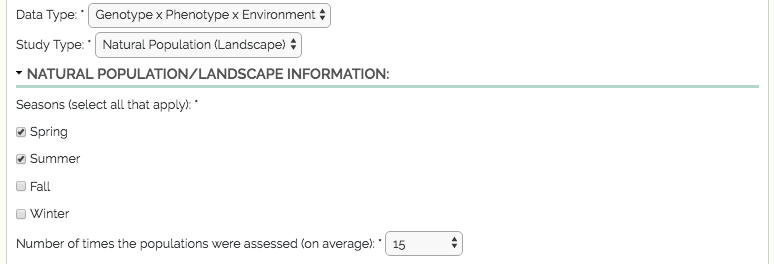
Natural Population:
fieldset- only visible if the user selects ‘Natural Population’ from ‘Study Type’Season:
checkboxes- options ‘Spring’, ‘Summer’, ‘Fall’, ‘Winter’Assessions:
select- options ‘1’ to ‘30’
A screenshot of the Natural Population fields can be seen below:
4.5.2. Growth Chamber
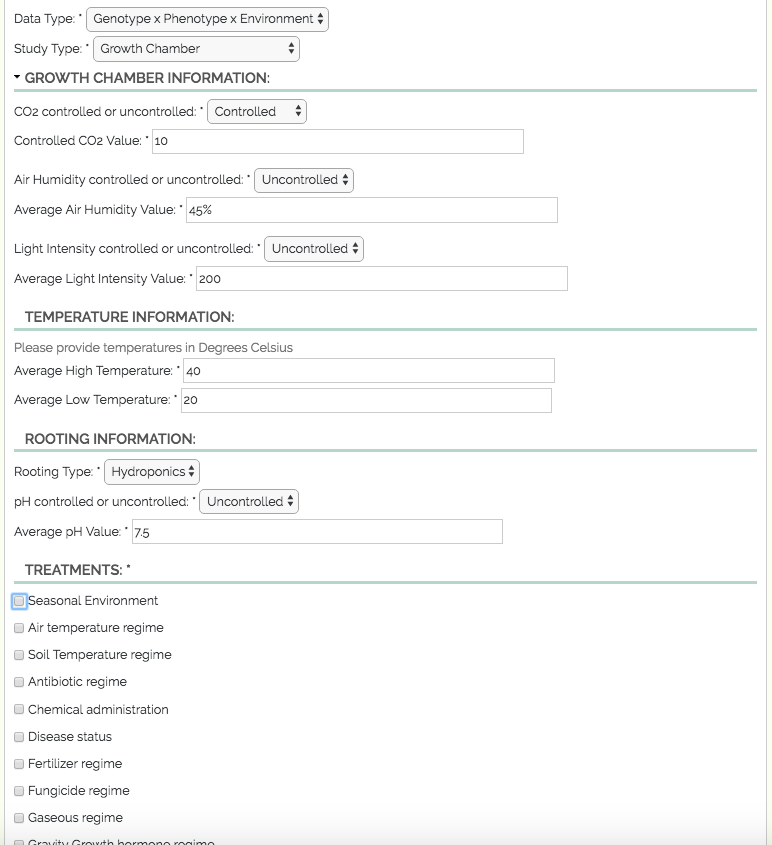
Growth Chamber:
fieldset- only visible if the user selects ‘Growth Chamber’ from ‘Study Type’CO2 Info:
fieldsetCO2 Control:
select- options ‘controlled’, ‘uncontrolled’CO2 Value:
textfield
Humidity Info:
fieldsetHumidity Control:
select- options ‘controlled’, ‘uncontrolled’Humidity Value:
textfield
Light Intensity Info:
fieldsetLight Intensity Control:
select- options ‘controlled’, ‘uncontrolled’Light Intensity Value:
textfield
Temperature Info:
fieldsetAverage High Temperature:
textfieldAverage Low Temperature:
textfield
Rooting Info:
fieldsetRooting Type:
select- options ‘Aeroponics’, ‘Hydroponics’, and ‘Soil’Soil:
fieldset- only visible if the user selects ‘Soil’ from ‘Rooting Type’Soil Type:
select- options ‘Sand’, ‘Peat’, ‘Clay’, ‘Mixed’, ‘Other’Custom Soil Type:
textfield- only visible if the user selects ‘Other’ from ‘Soil Type’Soil Container Type:
textfield
PH:
fieldsetPH Control:
select- options ‘controlled’, ‘uncontrolled’PH Value:
textfield
Treatments:
checkboxes- options ‘Seasonal Environment’, ‘Air temperature regime’, ‘Soil Temperature regime’, ‘Antibiotic regime’, ‘Chemical administration’, ‘Disease status’, ‘Fertilizer regime’, ‘Fungicide regime’, ‘Gaseous regime’, ‘Gravity Growth hormone regime’, ‘Mechanical treatment’, ‘Mineral nutrient regime’, ‘Humidity regime’, ‘Non-mineral nutrient regime’, ‘Radiation (light, UV-B, X-ray) regime’, ‘Rainfall regime’, ‘Salt regime’, ‘Watering regime’, ‘Water temperature regime’, ‘Pesticide regime’, ‘pH regime’, ‘other perturbation’Treatments Description:
textfield- if an option from ‘Treatments’ is selected, users must provide a description of the treatment
A screenshot of the Growth Chamber fields can be seen below:
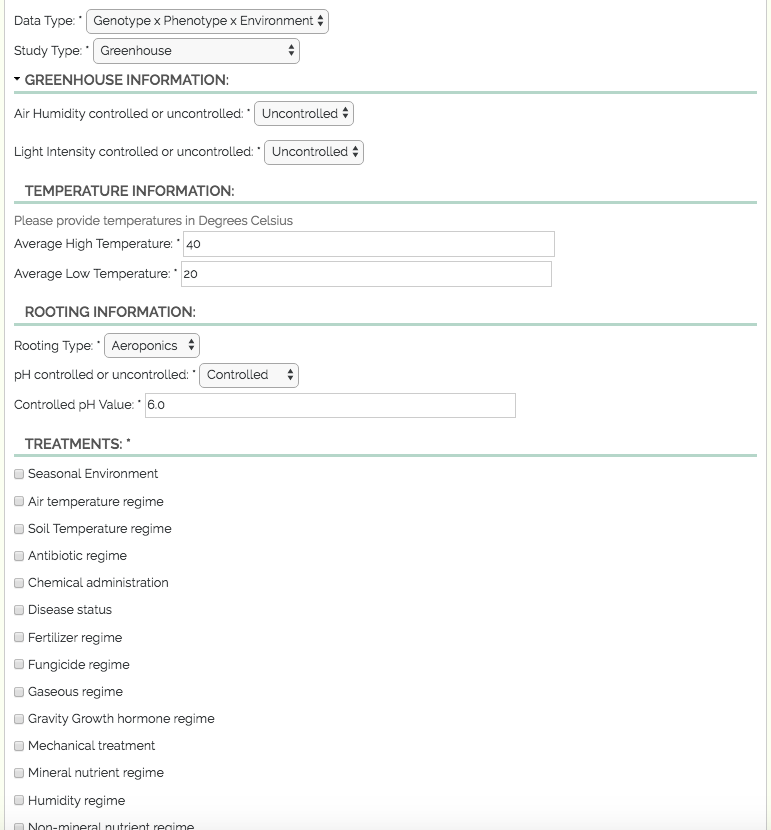
4.5.3. Greenhouse
Greenhouse:
fieldset- only visible if the user selects ‘Greenhouse’ from ‘Study Type’Humidity Info:
fieldsetHumidity Control:
select- options ‘controlled’, ‘uncontrolled’Humidity Value:
textfield- only visible if the user selects ‘controlled’ from ‘Humidity Control’
Light Intensity Info:
fieldsetLight Intensity Control:
select- options ‘controlled’, ‘uncontrolled’Light Intensity Value:
textfield- only visible if the user selects ‘controlled’ from ‘Light Intensity Control’
Temperature Info:
fieldsetAverage High Temperature:
textfieldAverage Low Temperature:
textfield
Rooting Info:
fieldsetSoil:
fieldsetSoil Type:
select- options ‘Sand’, ‘Peat’, ‘Clay’, ‘Mixed’, ‘Other’Custom Soil Type:
textfield- only visible if the user selects ‘Other’ from ‘Soil Type’Soil Container Type:
textfield
PH:
fieldsetPH Control:
select- options ‘controlled’, ‘uncontrolled’PH Value:
textfield- only visible if the user selects ‘controlled’ from ‘PH Control’
Treatments:
checkboxes- options ‘Seasonal Environment’, ‘Air temperature regime’, ‘Soil Temperature regime’, ‘Antibiotic regime’, ‘Chemical administration’, ‘Disease status’, ‘Fertilizer regime’, ‘Fungicide regime’, ‘Gaseous regime’, ‘Gravity Growth hormone regime’, ‘Mechanical treatment’, ‘Mineral nutrient regime’, ‘Humidity regime’, ‘Non-mineral nutrient regime’, ‘Radiation (light, UV-B, X-ray) regime’, ‘Rainfall regime’, ‘Salt regime’, ‘Watering regime’, ‘Water temperature regime’, ‘Pesticide regime’, ‘pH regime’, ‘other perturbation’Treatments Description:
textfield- if an option from ‘Treatments’ is selected, users must provide a description of the treatment
A screenshot of the Greenhouse fields can be seen below:
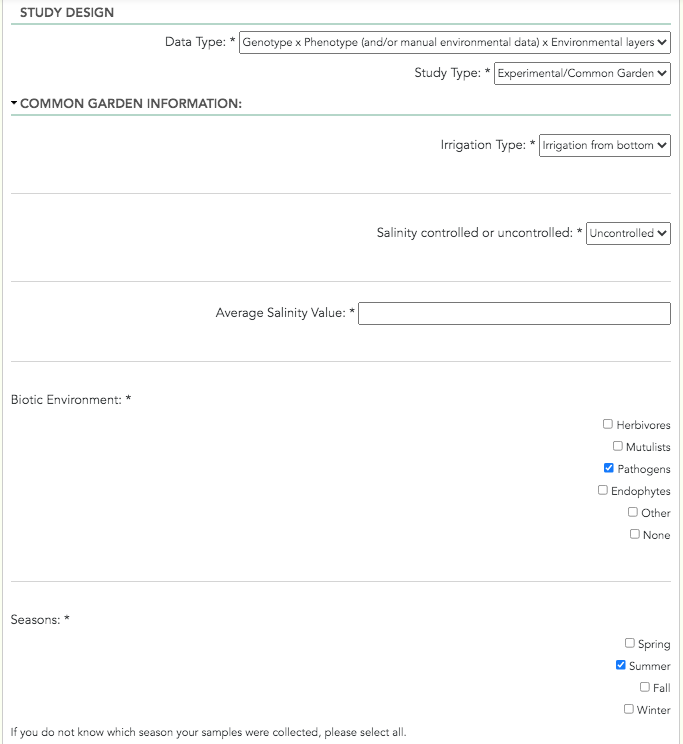
4.5.4. Common Garden
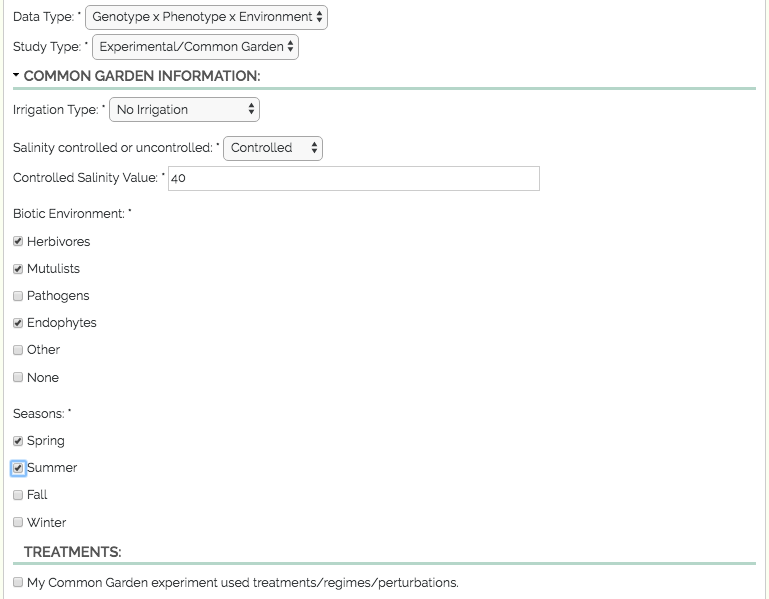
Common Garden:
fieldset- only visible if the user selects ‘Experimental/Common Garden’ from ‘Study Type’Irrigation:
fieldsetIrrigation Type:
select- options ‘Irrigation from top’, ‘Irrigation from bottom’, ‘Drip Irrigation’, ‘Other’, ‘No Irrigation’Custom Irrigation Type:
textfield- only visible if the user selects ‘Other’ from ‘Irrigation Type’
Salinity Info:
fieldsetSalinity Control:
select- options ‘controlled’, ‘uncontrolled’Salinity Value:
textfield
Biotic Environment Info:
fieldsetBiotic Environment Type:
select- options ‘Herbivores’, ‘Mutilists’, ‘Pathogens’, ‘Endophytes’, ‘Other’, ‘None’Custom Biotic Environment Type:
textfield- only visible if the user selects ‘Other’ from ‘Biotic Environment Type’
Season:
checkboxes- options ‘Spring’, ‘Summer’, ‘Fall’, ‘Winter’Treatments:
checkboxes- options ‘Seasonal environment’, ‘Antibiotic regime’, ‘Chemical administration’, ‘Disease status’, ‘Fertilizer regime’, ‘Fungicide regime’, ‘Gaseous regime’, ‘Gravity Growth hormone regime’, ‘Herbicide regime’, ‘Mechanical treatment’, ‘Mineral nutrient regime’, ‘Non-mineral nutrient regime’, ‘Salt regime’, ‘Watering regime’, ‘Pesticide regime’, ‘pH regime’, ‘Other perturbation’Treatments Description:
textfield- if an option from ‘Treatments’ is selected, users must provide a description of the treatment
A screenshot of the Common Garden fields can be seen below:
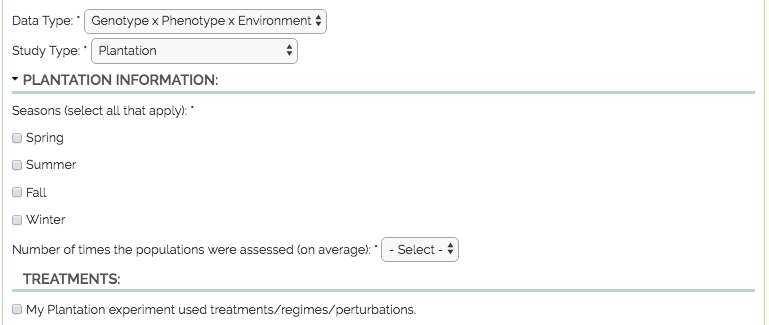
4.5.5. Plantation
Plantation:
fieldset- only visible if the user selects ‘Plantation’ from ‘Study Type’Season:
checkboxes- options ‘Spring’, ‘Summer’, ‘Fall’, ‘Winter’Assessions:
textfieldTreatments:
checkboxes- options ‘Seasonal environment’, ‘Antibiotic regime’, ‘Chemical administration’, ‘Disease status’, ‘Fertilizer regime’, ‘Fungicide regime’, ‘Gaseous regime’, ‘Gravity Growth hormone regime’, ‘Herbicide regime’, ‘Mechanical treatment’, ‘Mineral nutrient regime’, ‘Non-mineral nutrient regime’, ‘Salt regime’, ‘Watering regime’, ‘Pesticide regime’, ‘pH regime’, ‘Other perturbation’Treatments Description:
textfield- if an option from ‘Treatments’ is selected, users must provide a description of the treatment
A screenshot of the Plantation fields can be seen below: